
Looker Studio is Google's free data visualization and reporting tool: it connects to sources such as Google Analytics 4, Search Console, Google Ads or Google Sheets and turns their data into interactive dashboards you can share with a link. If you are wondering what Looker Studio is because a client sent you a report link, this guide covers how it works, how to build a first report and where its limits are.
One thing to know before you start: in April 2026 Google renamed Looker Studio back to its original name, Data Studio. Most people still search for "Looker Studio", so this guide uses both names.
What is Looker Studio?
Looker Studio is a free, browser-based tool from Google that builds reports and dashboards from connected data sources, using a drag-and-drop editor with charts, tables and filters. You only need a Google account to use it.
The product has had three names. It launched as Google Data Studio, became Looker Studio in 2022, and in April 2026 returned to Data Studio, with a new address at datastudio.google.com. According to Google's announcement in the official documentation, existing reports do not need any change: old lookerstudio.google.com links redirect automatically.
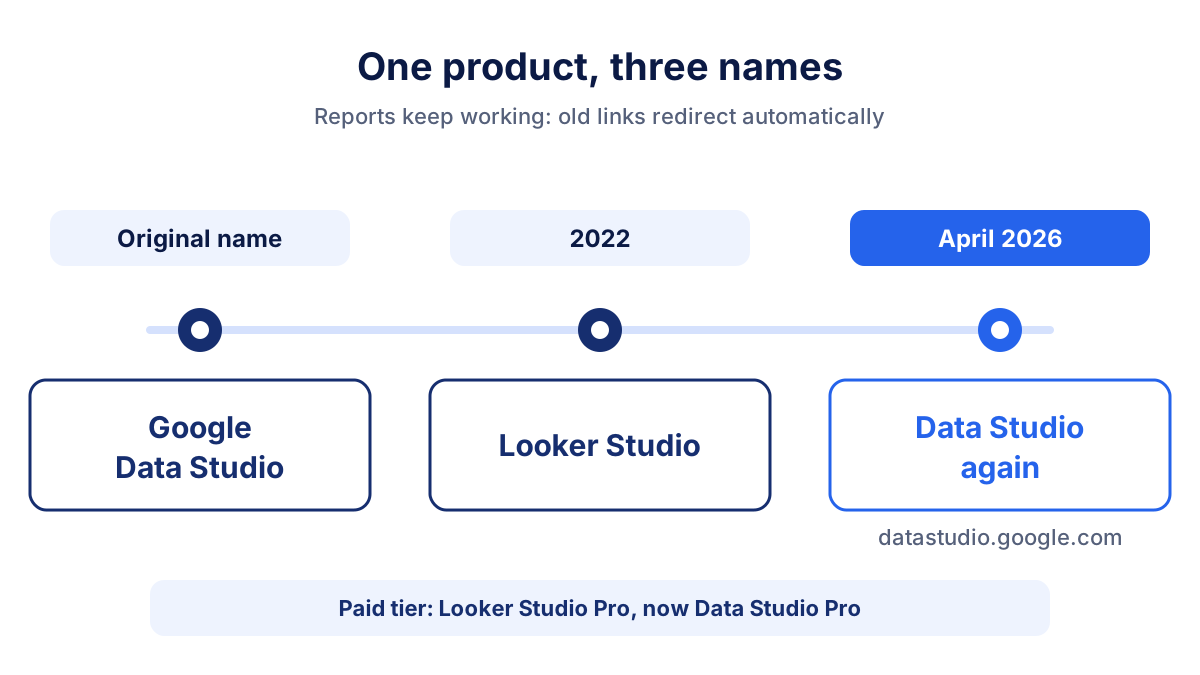
There is also a paid tier, Looker Studio Pro (now Data Studio Pro). It costs $9 per user per project per month (price checked on 13 October 2026; check Google's page for current prices) and adds team workspaces, reports owned by the organization instead of individual users, more delivery options and Google Cloud support. A 30-day free trial is available.
How does Looker Studio work?
Looker Studio works in three layers: connectors fetch the data, data sources describe it, and reports display it.
- Connectors link Looker Studio to a platform, for example GA4 or a MySQL database. Google builds connectors for its own products. Other companies build partner connectors (also called community connectors).
- Data sources are the configured connection: which account or property, which fields (dimensions and metrics), whose credentials are used and how often data is refreshed.
- Reports are the pages your readers see: charts, tables, scorecards and controls such as a date range picker, all based on one or more data sources.
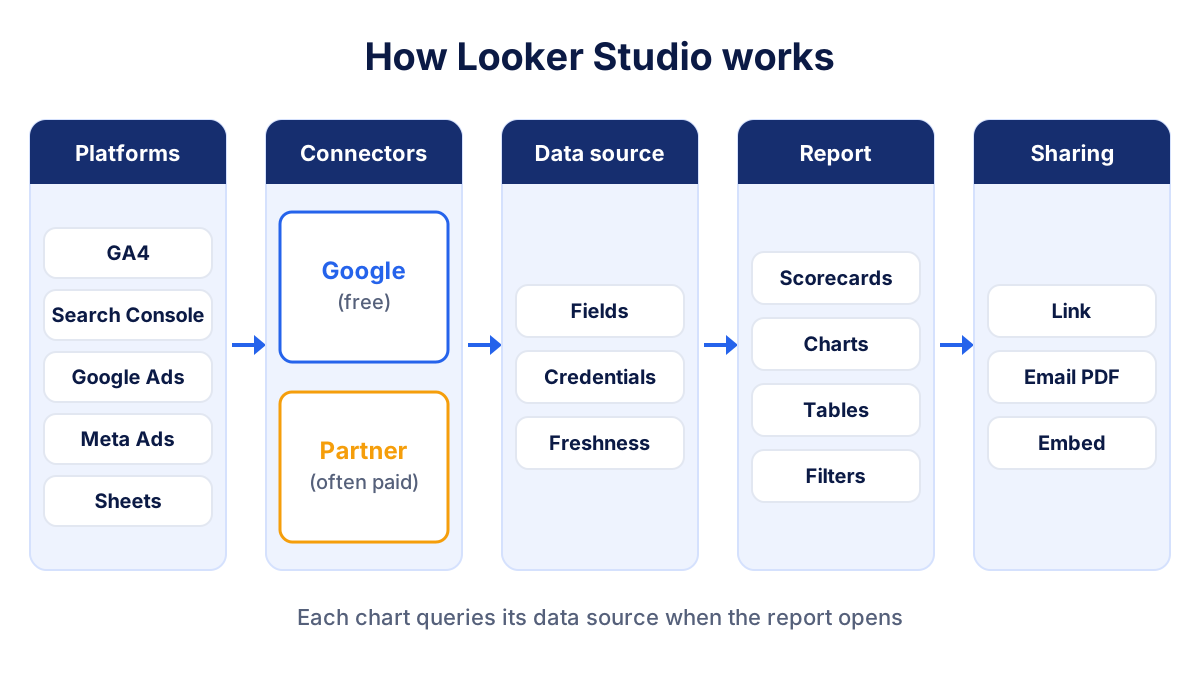
Most data sources keep a live connection: Looker Studio queries the platform when someone opens the report and caches the answer for a while. The data freshness setting controls how often fresh data is requested. For heavy reports you can create an extracted data source, a stored snapshot that loads faster.
Credentials matter more than they seem. With owner's credentials, viewers see the data through the account of the person who created the data source, so they need no access to GA4 themselves. With viewer's credentials, each viewer needs their own access to the underlying account.
Google connectors vs partner connectors
The connector choice decides most of the cost and reliability of a Looker Studio report.
| Google connectors | Partner connectors | |
|---|---|---|
| Built by | Third-party companies | |
| Typical sources | GA4, Search Console, Google Ads, YouTube, Sheets, BigQuery | Meta Ads, LinkedIn Ads, Microsoft Ads, Mailchimp, CRMs |
| Cost | Free | Free or paid, depending on the vendor |
| Support | The connector's developer | |
| Limits | Google API quotas | Vendor plan limits plus platform API limits |
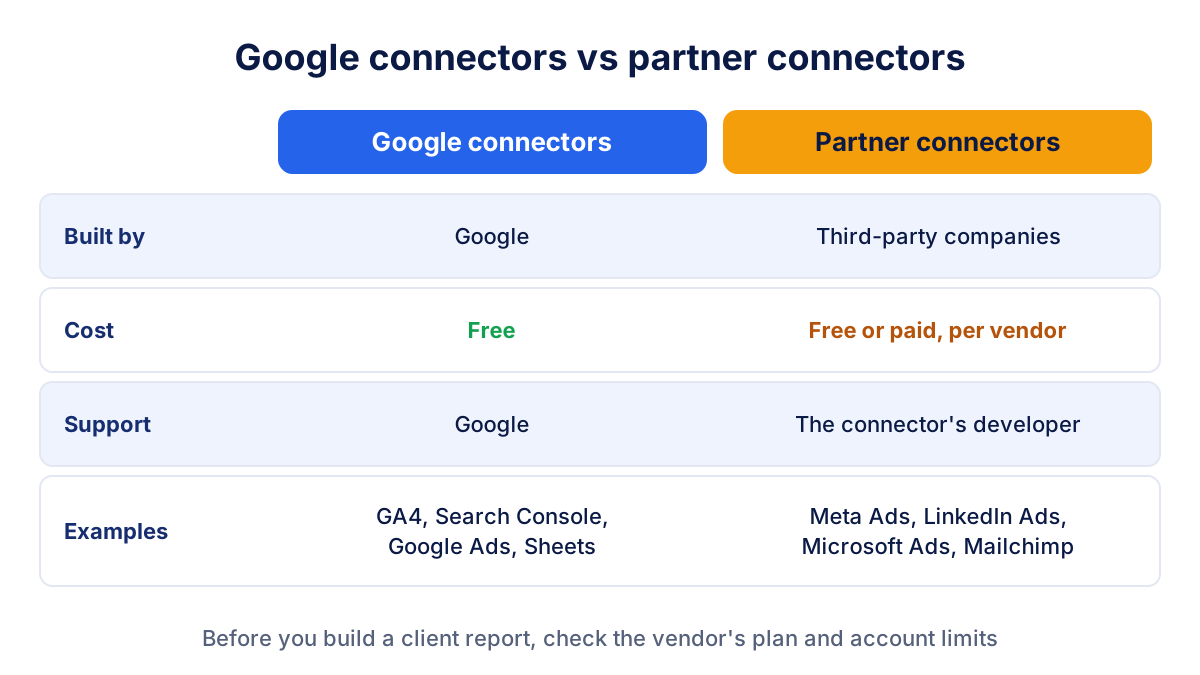
Google's own documentation states that community connectors may cost money to use, and that problems with them go to the connector's developer, not to Google. For an agency report that combines Google Ads with Meta Ads and LinkedIn, that usually means at least one paid subscription.
How to create your first Looker Studio report from GA4
A simple GA4 report takes about fifteen minutes. Here is the sequence we use when we set up a first marketing dashboard for a client:
- Open datastudio.google.com (the old Looker Studio address redirects there) and sign in with the Google account that has access to the GA4 property.
- Create a new blank report.
- Choose the Google Analytics connector, authorize it, then select the account and the GA4 property. Add it to the report.
- Add scorecards for the headline numbers, for example sessions, users and key events.
- Add a time series chart with sessions by date, so trends are visible at a glance.
- Add a table with session source / medium, which shows where traffic comes from (clean UTM parameters make this table far more useful).
- Add a date range control so readers can switch periods themselves.
- Click Share: invite people by email, turn on link sharing, or schedule email delivery of a PDF.
Keep the first version short. One page with five or six charts that answer the client's real questions beats ten pages nobody reads. If you are unsure what to show, start from the marketing KPIs that matter for your goal.
What Looker Studio does well
Looker Studio earns its popularity, and for many teams it is the right tool:
- It is free, and so are the Google connectors. For SEO and Google Ads work, that covers a lot.
- It is flexible. Calculated fields, filters, custom layouts and many chart types let you build almost any view.
- Sharing is familiar. Permissions work like Google Docs, and you can embed a report on a website or email it as a PDF on a schedule.
- It sits next to BigQuery and Sheets, so teams with a data warehouse can report on top of it.
For a monthly SEO report based on Search Console and GA4, Looker Studio is often enough on its own.
Looker Studio limits for agencies
The limits of Looker Studio show up when you manage many clients and many platforms.
Partner connectors for non-Google platforms
Meta Ads, LinkedIn, Microsoft Ads, Pinterest and Mailchimp all depend on partner connectors. Each has its own pricing unit (sources, accounts, users), and the costs add up with the number of clients. We compare those costs in detail in our guide to Looker Studio alternatives for agencies.
Quotas and performance
Every chart sends its own query. A page with fifteen charts on GA4 and two partner connectors can load slowly, and Google APIs apply quotas: busy reports sometimes show quota errors until the limit resets. Extracted data sources and fewer charts per page help.
Template maintenance per client
A template saves time, but every copy needs its own data sources, and changes to the template do not flow into copies already made. When a platform renames a field or a connector changes, you fix each client report by hand.
Blending limits
Blending combines data from different sources in one chart. Looker Studio allows up to five data sources per blend, and the join keys (usually date and campaign) must match exactly. Mixing platforms that count conversions differently produces totals that look precise and are not.
Ownership
Data sources created with a personal account stop working when that person leaves the agency. Looker Studio Pro solves this with organization-owned content; the free version does not.
If these limits cost you more hours than the reports save, a ready-made multi-client dashboard such as Klyrax, which connects Meta Ads, LinkedIn, Microsoft Ads and Bing Webmaster Tools alongside the Google sources, can be a simpler option.
Looker Studio vs Looker: two different products
The names confuse many people, but Looker and Looker Studio target different users.
| Looker Studio | Looker | |
|---|---|---|
| What it is | Self-service reports and dashboards | Enterprise business intelligence platform |
| Typical user | Marketers, agencies, analysts | Data teams and developers |
| Data modeling | Fields and calculated fields per data source | Central semantic layer written in LookML |
| Cost | Free (Pro is paid) | Paid, sold through Google Cloud |
| Setup | Minutes, in the browser | A project, usually with technical setup |
If your goal is a marketing dashboard on GA4, Google Ads and Search Console, you want Looker Studio. Looker makes sense when a company needs one governed definition of its business metrics across many teams.
Does Looker Studio replace GA4?
No. GA4 collects the data and Looker Studio displays it. You still need GA4 for tracking, conversions (key events) and audiences. Looker Studio is the layer you put on top when GA4's own reports are too complex for a client, or when you want GA4 next to Google Ads and Search Console on the same page.
Frequently asked questions
Is Looker Studio free?
Yes. Looker Studio, now called Data Studio again, is free with a Google account, and the connectors built by Google for GA4, Search Console, Google Ads, YouTube, Sheets and BigQuery are free as well. The paid tier, Looker Studio Pro, adds team workspaces, organization-owned content and support. Partner connectors for non-Google sources may cost money, depending on the vendor.
Is Looker Studio the same as Google Data Studio?
Yes, it is the same product. Google Data Studio was renamed Looker Studio in 2022, and in April 2026 Google returned it to its original name, Data Studio. The product address is now datastudio.google.com, and old lookerstudio.google.com links redirect automatically, so existing reports keep working without changes.
Does Looker Studio replace Google Analytics 4?
No. GA4 collects and processes the data from your website or app, while Looker Studio only reads that data and displays it. Looker Studio cannot track visitors, set up conversions or change GA4 settings. Use GA4 for measurement and analysis, and Looker Studio when you want a cleaner report that combines GA4 with other sources for a client or a manager.
What is the difference between Looker and Looker Studio?
Looker is Google Cloud's enterprise business intelligence platform, built around a modeling layer called LookML and usually managed by data teams, with no free plan. Looker Studio is the free, self-service reporting tool that marketers use for dashboards on GA4, Google Ads or Sheets. They share part of a name but are separate products with different users and costs.
Can Looker Studio connect to Meta Ads or LinkedIn Ads?
Not with a connector built by Google. Meta Ads, LinkedIn Ads, Microsoft Ads and most non-Google platforms are available through partner connectors, built by third-party companies and listed in the connector gallery. Google's documentation warns that these connectors may cost money, so check each vendor's plan, account limits and support before you build a client report on one.
All your marketing data in one report
Klyrax connects Google Ads, Meta Ads, GA4, Search Console, Bing Webmaster Tools and more in read-only mode, and turns them into client-ready reports.
Request info